

|
Call Report Location: Main Window -> Calls Report |
Top Previous Next Contents Index |
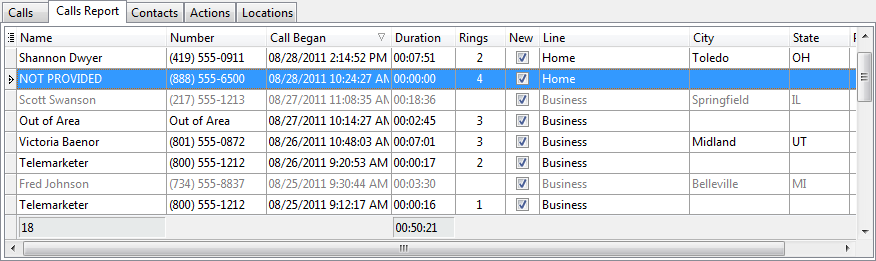
The call report displays a report of all calls received at the last time the report was built. The call report can be filtered and sorted, unlike the call list. It can also display pictures for calls from people in the contact list.
Unlike the call list, the call report is not automatically updated whenever someone calls. Instead, you must manually rebuild the report by clicking the "Rebuild Calls Report" button ( ) on the toolbar. Depending on the number of calls and the power of your computer, rebuilding the report could take awhile. The report background turns gray when the report is out of date.
When outgoing calls are available, they are listed using the configured outgoing calls font. By default, outgoing calls are gray, while incoming calls are black.
Double-click a call in the list to open the Edit Call window.
The grid can be altered using the common grid controls. In addition, you can type text to auto-scroll to the desired row. Specifically, the grid will auto-scroll to the row where the typed characters match the first column. To search using a different column, drag the column to the first position by clicking and dragging the column header. Press the ESCAPE key to clear the typed characters.
Right-click on a call to display the context menu for commands that can be performed on the call:
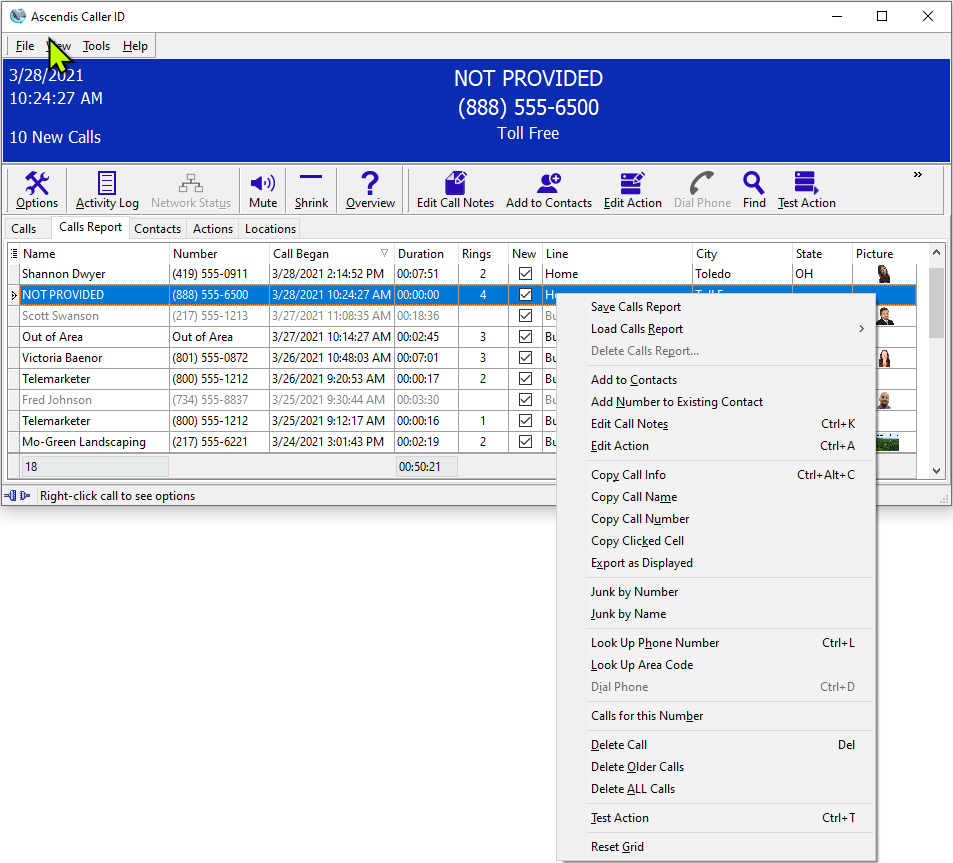
To see the number of calls in the report, hold the cursor over the tabs. The status bar will show the number of calls. This may not be the same as the number of calls in the Calls list, unless you have rebuilt the report since the last call.
| Send comments or questions about web site to webmaster@ascendis.com |
Modified January 17, 2024, 3:44 pm
|