

|
Call List Location: Main Window -> Calls |
Top Previous Next Contents Index |
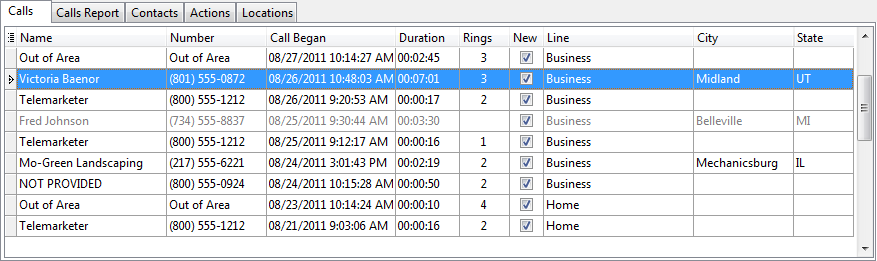
The call list displays a log of all calls received while Ascendis Caller ID was running. The name displayed may be the name returned by the caller id hardware, or the name specified in the contact list if an entry exists for the caller.
When outgoing calls are available, they are listed using the configured outgoing calls font. By default, outgoing calls are gray, while incoming calls are black. Note that the "Incoming" column also indicates whether a call is incoming or outgoing.
The "New" column indicates whether the call has been acknowledged. Acknowledge the call by selecting "Mark as Read" from the right-click menu or clicking on the "New" column within a call.
Select multiple calls by holding down the CONTROL key while clicking additional calls, or by holding down SHIFT while clicking another call to select all calls in the range. Once multiple calls are selected, right-click on the selected calls to delete them or mark them as read or new.
Double-click a call in the list to open the Edit Call window.
The grid can be altered using the common grid controls. However, the call list cannot be sorted or filtered. To see a sorted or filtered view, click the Calls Report tab.
In addition, you can type text to auto-scroll to the desired row. Specifically, the grid will auto-scroll to the row where the typed characters match the first column. To search using a different column, drag the column to the first position by clicking and dragging the column header. Press the ESCAPE key to clear the typed characters.
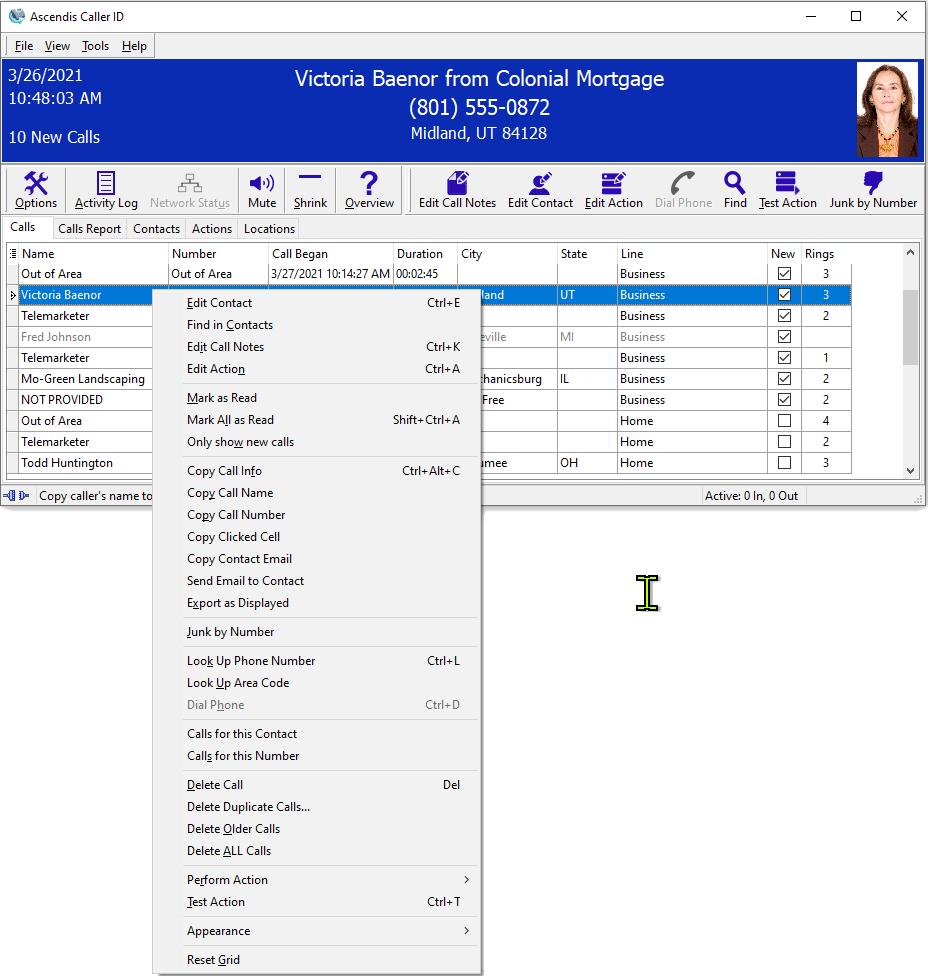
Right-click on a call to display the context menu for commands that can be performed on the call:
To see the number of calls in the list, hold the cursor over the tabs. The status bar will show the number of calls.
| Send comments or questions about web site to webmaster@ascendis.com |
Modified January 17, 2024, 3:44 pm
|