

|
Technical Support Report Location: Help Menu -> Technical Support Report |
Top Previous Next Contents Index |
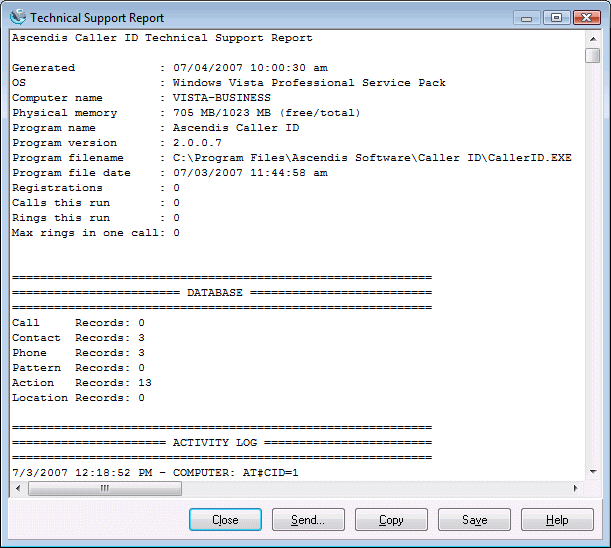
This window displays a technical support report suitable for sending to Ascendis Software LLC.
To provide us with the best available information, please follow these instructions when sending a report to Ascendis Software LLC:
1) Start Ascendis Caller ID if it is not already running
2) Wait for an incoming call and let the phone ring at least three times
3) Wait for the phone to stop ringing
4) If the problem did not occur on this phone call, go back to step 2
5) Open the Technical Support Report window (on the Help menu)
6) Press the Send button to send the report to Ascendis Software LLC
7) Answer "Yes" to the confirmation prompt
8) Enter your email address and problem description into the form, and click "OK"
If the send fails, please try the following:
1) Press the Copy button to copy the report to the clipboard
2) Open your browser to the Ascendis Caller ID support request form
3) Paste the clipboard into the "Detailed problem description" box
4) Fill in the remaining boxes
5) Click "Submit" to submit your report
| Send comments or questions about web site to webmaster@ascendis.com |
Modified January 17, 2024, 3:48 pm
|