

|
Script Editor |
Top Previous Next Contents Index |
Location: Contact List Context Menu -> Edit Action -> Advanced Action -> Script Editor
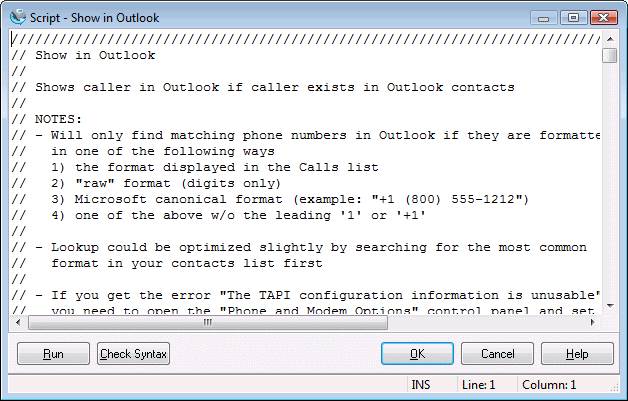
Use this window to test and edit scripts.
| • | Use the text panel at the top of the window to edit the script. |
| • | Run runs the script to the end. |
| • | Check Syntax verifies the syntax for the script is correct without running it. This does not ensure the script will run correctly, as command parameters could be wrong. |
| • | OK saves the changes to the script and closes the window. |
| • | Cancel discards changes to the script and closes the window. |
| • | Help brings up this topic. |

Press Ctrl+F to bring up the Find panel. Type the text to find in the edit box and press ENTER to find the next occurrence. Check "Case sensitive" to perform a case-sensitive search. Press the "X" button to close the panel. Press F3 to find the next occurrence and display the Find panel if not already visible.
The DWS language is defined here.
The original script language is defined here.
| Send comments or questions about web site to webmaster@ascendis.com |
Modified January 17, 2024, 3:48 pm
|