

|
Line Monitor Window Location: Help Menu -> Diagnostics -> Line Monitor |
Top Previous Next Contents Index |
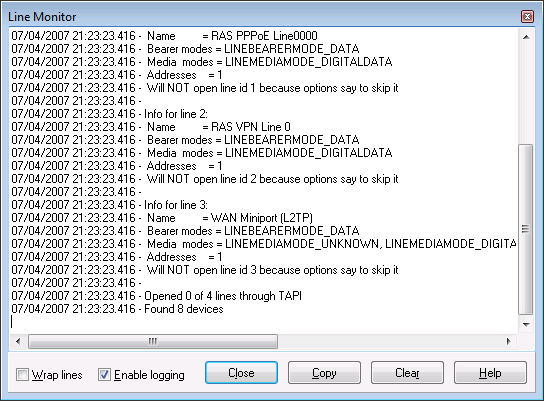
The Line Monitor window displays TAPI messages that Ascendis Caller ID receives from Windows, and raw communications with devices when TAPI is not used. It is sometimes used as an aid to troubleshooting.
You can show (and hide) the Line Monitor window by selecting the Line Monitor option on the Diagnostics submenu on the Help menu.
The "Copy" button copies the contents of the window onto the clipboard. This makes it easy to paste it into an email message, for example. The "Clear" button clears the window, without confirmation.

Press Ctrl+F to bring up the Find panel. Type the text to find in the edit box and press ENTER to find the next occurrence. Check "Case sensitive" to perform a case-sensitive search. Press the "X" button to close the panel. Press F3 to find the next occurrence and display the Find panel if not already visible.
| Send comments or questions about web site to webmaster@ascendis.com |
Modified January 17, 2024, 3:46 pm
|